A family photo album that opens on any phone — and only the people you invite can see it
Pick the photos · name the album's address · invite the family by email
- Free — the album costs nothing to make, and nobody you invite pays anything to open it.
- 5 GB of photo storage per account, shared with every other file in the same account
- The free plan allows 5 websites per account — albums count towards that number
- The album lives at an address on flareapps.site that you name yourself — your own domain is not supported yet.
- Each person is invited by their own email address and gets a private link — invites by LINE or phone number do not work yet.
- The album has no expiry date for as long as the account exists, and deleting the account leaves 30 days before anything is erased — but during the beta we cannot yet guarantee permanence.
- The album pages open only for the people you invite — but the image files themselves sit on a public CDN and are not encrypted.

Real screens from the product · sample data
These two albums are live right now — open them
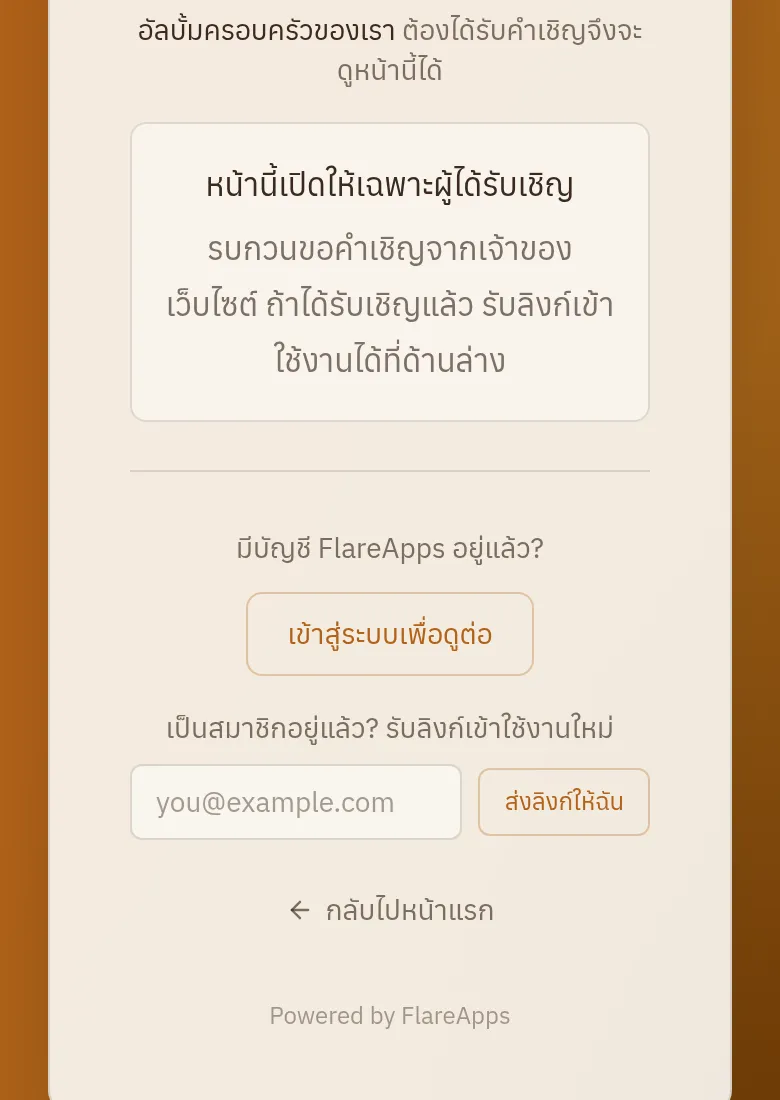
The cover is open to anyone; the album pages inside say you need an invitation first. That is the same gate your album will use.
The house by the canal
A family album — a public cover, and album pages only invited people can open.
Open the live albumNamwan & Ton's wedding album
One wedding, the same design, its own address and its own invite list.
Open the live album
What you can check about us
- Operated by Flare Agency Co., Ltd. · 670/352 ซอยสุทธิพร ดินแดง กรุงเทพ 10400 · Company registration no. 0105555049713
- A real person reads and answers what you send us · Mon–Sat 09:00–17:00 (Thailand time) · Outside those hours your message is recorded and waits for us — we don't promise a reply time yet; live status is at Platform status
- LINE is our only social channel — we do not have a Facebook page yet
- Ask for a file of your account data yourself — 41 sections, and the file states its own scope inside it · a business's own records are a separate set · ask us to delete your account, with a 30-day grace period before anything is erased · Privacy policy
- Everyone on your team sees only what they should — roles and permissions from day one.
- FlareApps itself has been in development since 2023 · The company has been registered in Thailand since 2012
- Platform status, the changelog and the issue tracker are all public · We are in beta — what is not built yet is written down in the changelog rather than left out · Platform status · Changelog · Report an issue
- Two-factor authentication (TOTP) with backup codes, and a session and device registry you can review and revoke yourself · When you set a password we hash it with Argon2id, and the secrets we hold for you — two-factor codes, saved passwords, the sign-in tokens from Google and LINE, and integration keys — are encrypted before they are stored. For your password vault we also keep the key, so it opens on any device you sign in to.
- Your servers, databases and uploaded files are on AWS in Thailand — your Aria conversations and video transcoding are processed in Singapore · AI work is processed in Singapore, the United States or Google's global network · every other provider we use is listed in the privacy policy
- The price you see on the pricing page is the price we charge
What the album actually looks like

Every photo in the album, on one page
The photos sit in a grid you can scroll through in one go, and you choose how many columns it uses.
Start an album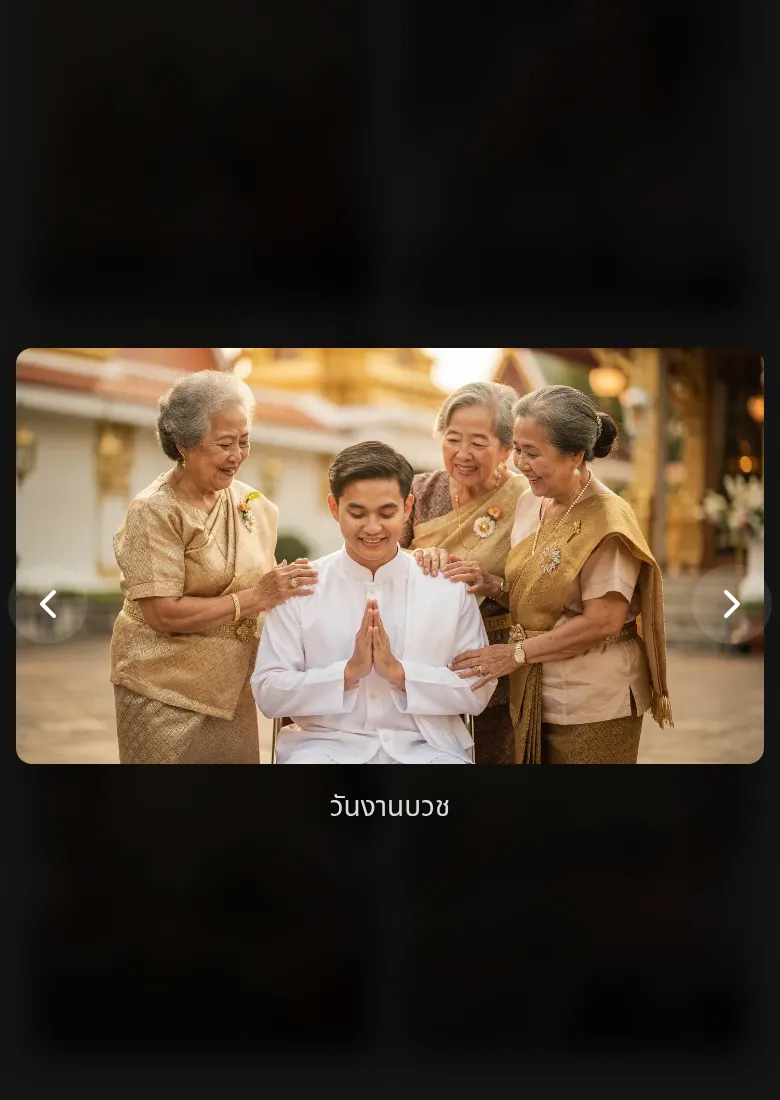
Tap a photo to see it full-screen, with its caption
Every photo can carry a caption, and the caption travels with the photo inside the album — so whoever opens it knows which day it was and who is in it.
Start an album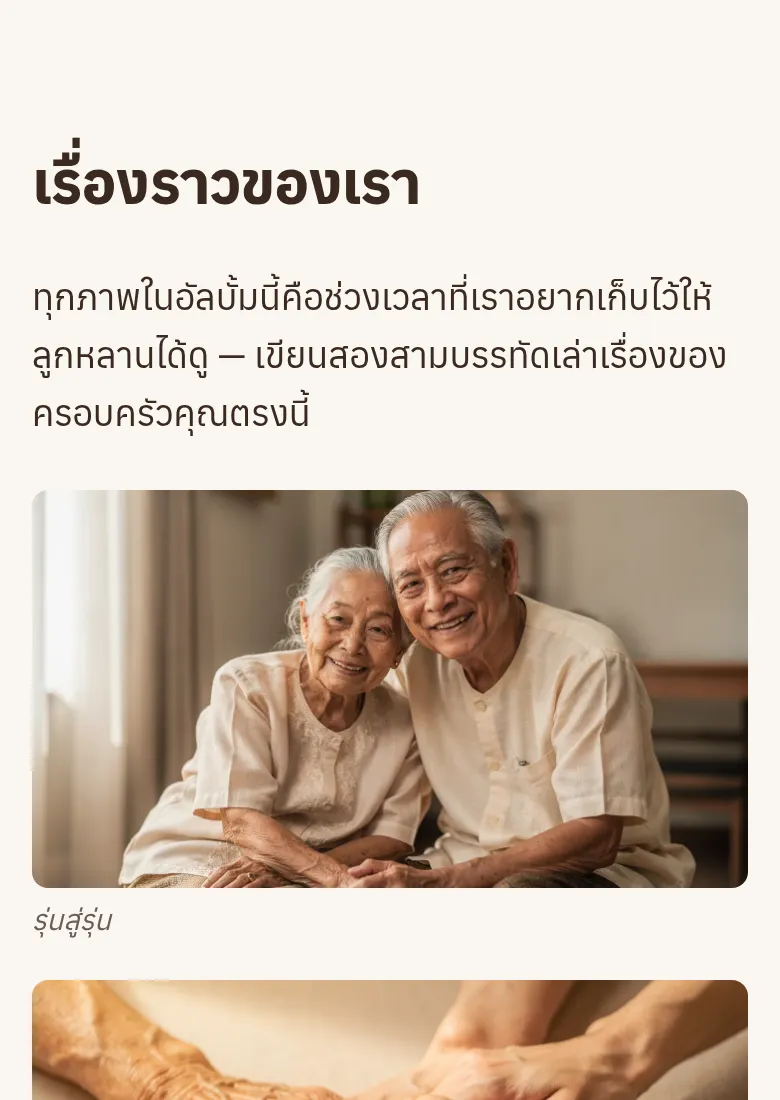
Tell it as a story, not just a pile of photos
An album can be several pages — a cover, a page of all the photos, and a page that tells the story in parts, text and pictures together.
Start an album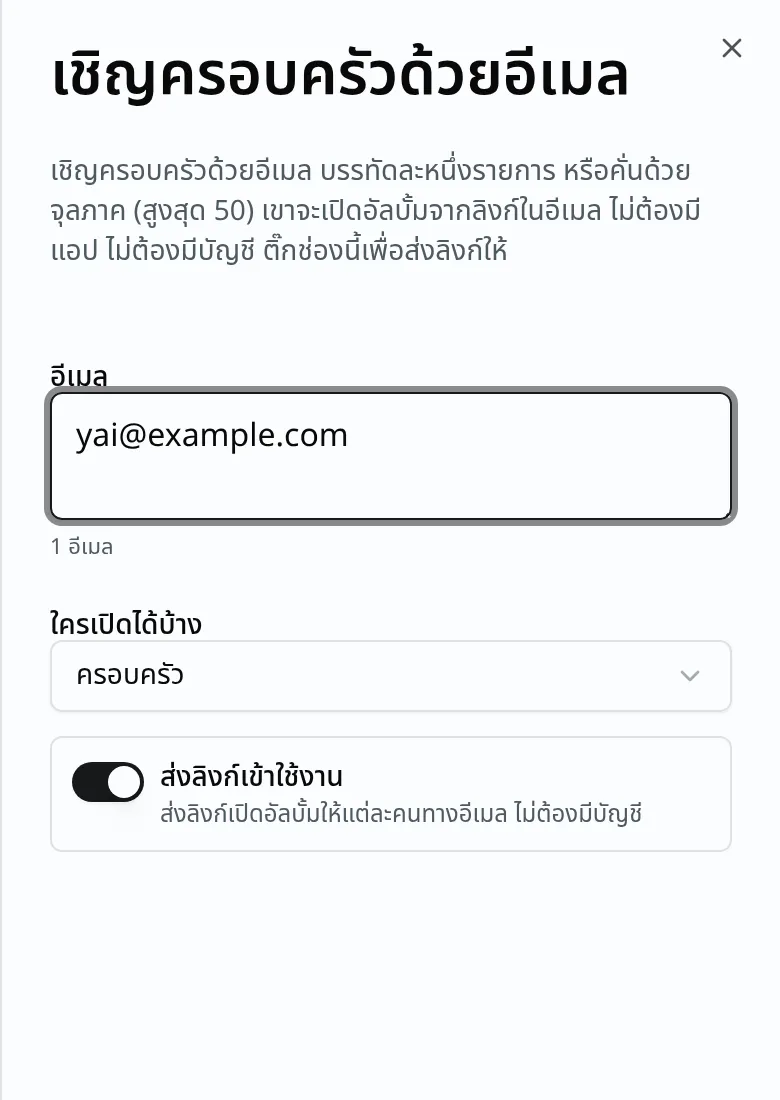
Invite by email — they tap the email and it opens
You type each person's email address and the system sends each of them their own private link. They tap it and the album opens — no account, no app. Inviting by LINE or phone number is not possible yet; it has to be the recipient's email.
Start an album2 designs to choose from
The family design suits an album that keeps growing occasion by occasion; the journey design suits a single trip or event you want to tell from beginning to end. Both let you change every photo, every word and every colour.
What people make with it
Every photograph of a person on this page, including those inside the sample album, is AI-generated.

An ordination
A whole day's photos in one place, so relatives who could not come can still see it from home.

A wedding
The photographer's pictures and everyone's phone snapshots, gathered in one place after the day.
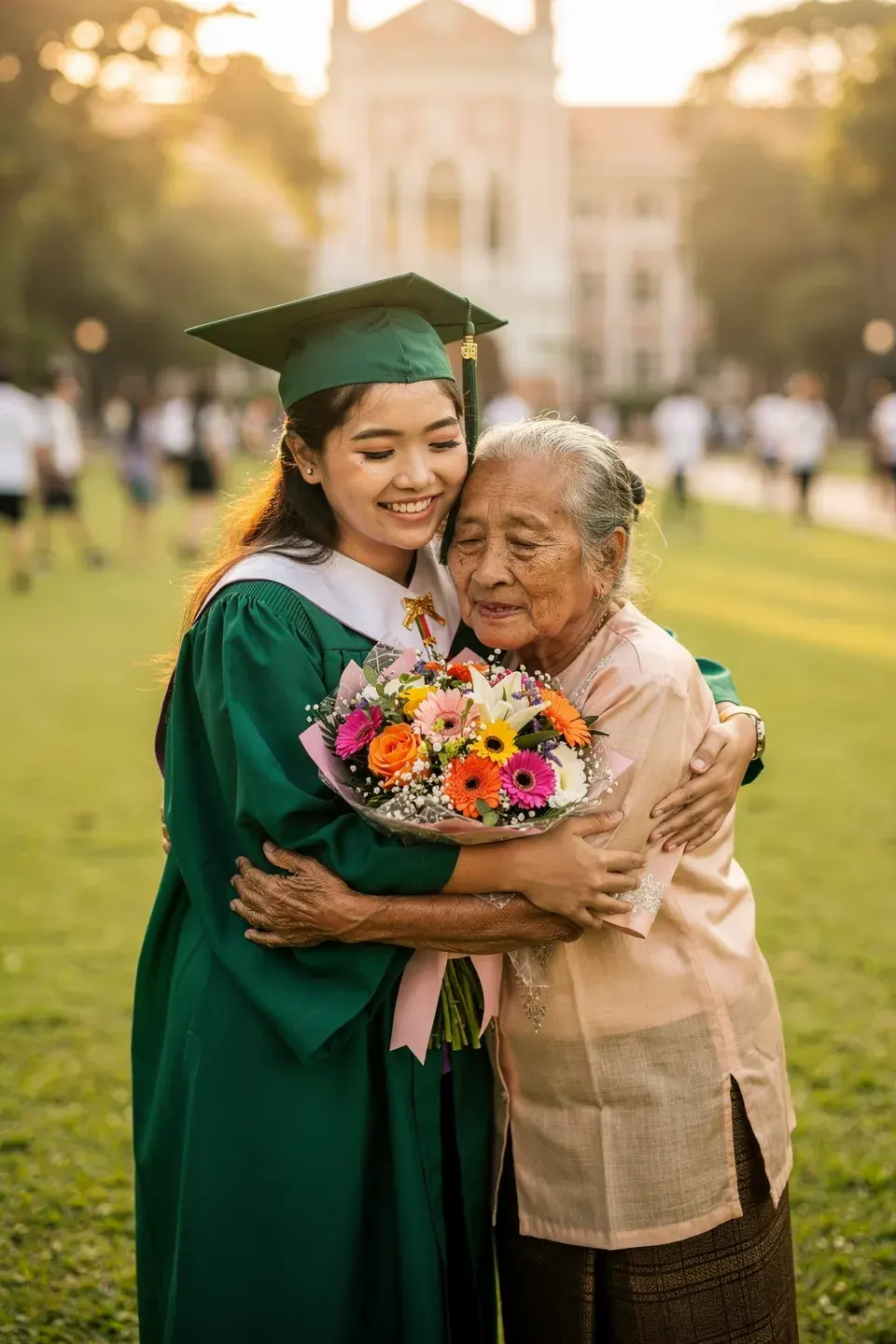
A graduation
One day that took years to reach, kept where everyone who is proud of it can open it.

A family trip
Tell the trip day by day, instead of scattering the photos across a chat thread.
Who can open it, and what happens if you stop
For an album you leave open, one link is enough — paste it in the family LINE group — and anyone who gets that link can open it. For an album set to invited people only, each person is invited by their own email address and gets their own private link.
Someone who was not invited sees a page telling them they need an invitation — not a blurred photo, because the server never sends the pictures at all.
You can export the whole account whenever you want, and deleting the account leaves 30 days before anything is erased — long enough to change your mind.
What is free, and where the ceilings are
Nobody is ever charged to look at an album: the album's "family" level carries no price at all, and the public self-join door refuses anyone who was not invited.
You pay when the account's file storage fills up, or when you want more websites than the free plan allows. Every plan's real price is on the pricing page.
See every plan's real priceWhat people ask before they start
- I already have Google Photos and LINE albums — why would I need this?
- Both keep photos well, but they are links anyone can forward, and a LINE album sinks under the chat over time. Here the album is a web page with its own address, you decide who can open it, and it does not disappear as the conversation scrolls. For a wedding, many photographers already include a private gallery, and theirs is good for that event — the difference is that a photographer's gallery covers one event and you do not decide who can open it. Here you choose who gets in, you can add photos from later occasions to the same album, and you can export everything whenever you want.
- Can I put video clips in the album?
- Not yet. An album takes photographs only — video clips cannot go into an album, and the album editor refuses a video file at the point you pick it.
- Can the free plan upload video to the account at all?
- No. The free plan accepts images, documents and text files; video uploads come with every paid personal plan.
- Does the person I invite have to sign up?
- No. They get an email with their own private link, tap it, and the album opens — no password to set, no app to install, on any phone.
- Can I invite people through LINE, or by phone number?
- Not yet — it has to be the recipient's email address, because the private link is sent to each person's inbox. If someone at home has no email, the option today is to leave the album open and share the link in the LINE group — knowing that anyone who receives that link can open it.
- What does someone who was not invited see?
- A page telling them an invitation is needed, with no photographs on it at all — the server strips the content before the page is sent, rather than hiding it behind a blur.
- Are the photos encrypted? How private is this really?
- Honestly, no. What the gate controls is who can open the album page. The image files themselves sit on a public CDN like any other picture on the web, so someone holding a direct file link can open that file. This is structural, not a setting we left off.
- Can the people I invite add their own photos?
- Not yet — you choose every photo, and invited people can only look. If you want other people's pictures, they have to send them to you and you add them yourself.
- If I stop using it one day, what happens to the photos?
- You can export the whole account and keep it yourself at any time, and if you delete the account there are still 30 days before anything is erased, in case you change your mind.
- Can I also make a shop page or a QR menu with the same account?
- Yes — one account covers both the album and a business site. If you run a restaurant there is a page that walks through the whole working day, with the real price on it.
Have a question? Ask us
Ask us anything before you sign up — whether it fits what you do, what it costs, how to move across what you already have. A real person reads these and replies on the contact you leave below.
Start with the photos you already have
Sign up free, pick an album design, add the photos, and invite the family today.
This is a beta — what works today and what does not is written up on the updates page.